Welcome to Crypto Trading Bot ADL v.1.0 – Quick Start Guide
This Telegram crypto trading bot allows you to automatically copy trades from AI trading account to your own crypto trading account in different crypto exchanges: Binance, Coinbase, OKX or Bybit.
To start copying trades from AI trading account, you need to connect your Binance account via API. Follow these steps:
1. Create API Keys on Binance
– Log in to your Binance account.
– Go to “API Management” (under Profile > API Settings).
– Click “Create API”, choose “System-generated API”, and name it (e.g., Telegram ADL crypto bot).
2. Configure API Permissions
Enable only these permissions for security:
 Enable Reading – Allows the app to check your account balance. Enable Reading – Allows the app to check your account balance.
Enable Spot & Margin Trading – Allows copying buy/sell orders.
 Disable Withdrawals – For safety, never allow this option. Disable Withdrawals – For safety, never allow this option.
3. Important Security Settings
– Do not set any IP restrictions (leave the IP access field empty).
– Click “Save” and complete Binance’s security verification (2FA/email confirmation).
4. Enter API Keys in Telegram App
– Open this Telegram app’s settings.
– Paste your Binance API Key, Secret Key and Order default amount in USDC.
– Save API Settings in Telegram bot—your account will now copy trades automatically.
If you need more information about this crypto bot click here
If you’d like to use Telegram trading bot ADL v.1.0 please contact us.
7 Days sentiment crypto chart
Weekly sentiment crypto chart
Monthly sentiment crypto chart |
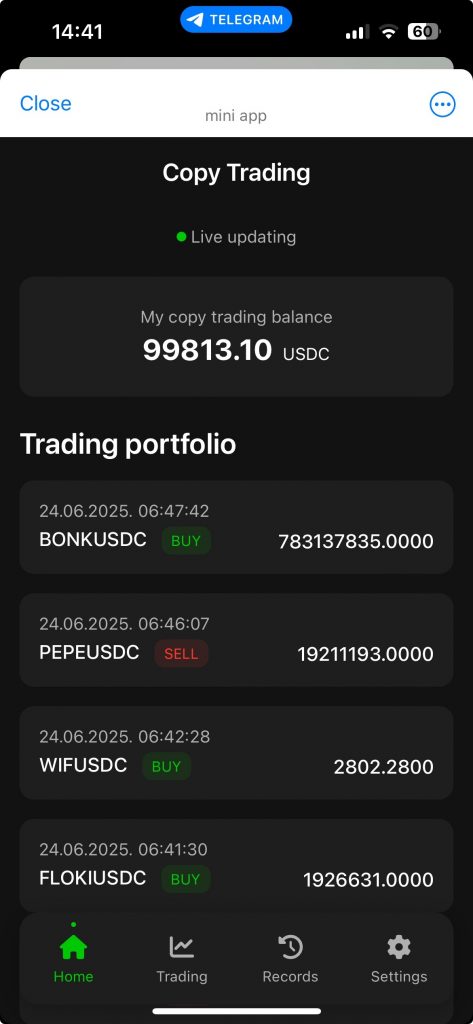 Telegram Trading Bot ADL